


AI YouTube Tools 2026: Best AI YouTube Tools for Beginners in 2026
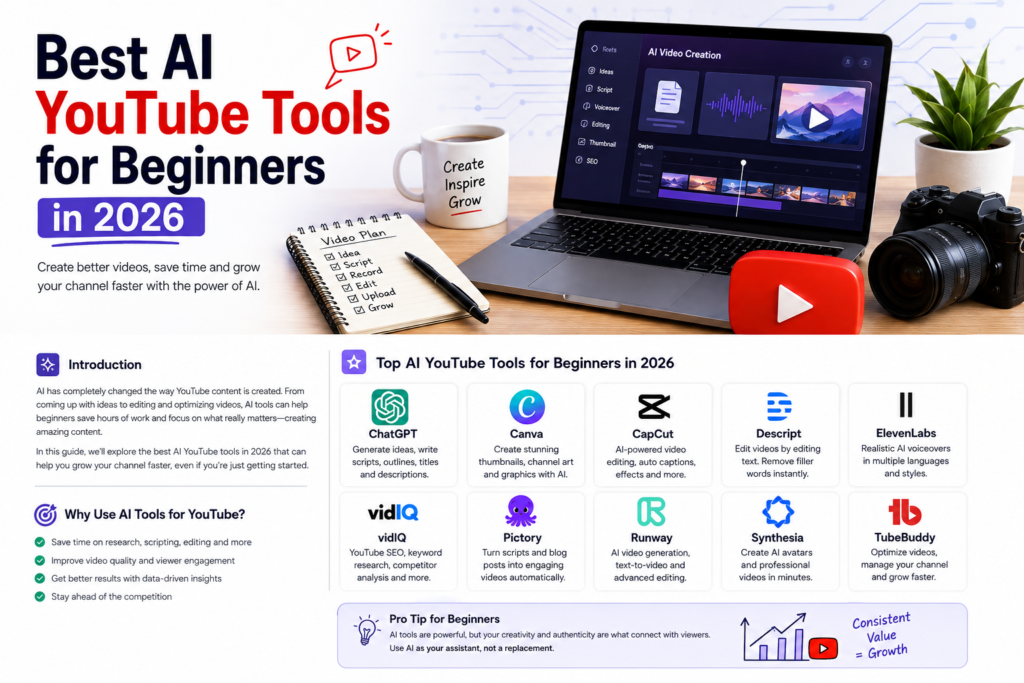
Starting a YouTube channel used to mean spending hours researching topics, writing scripts, recording videos, editing footage, designing thumbnails, and optimizing every upload manually. In 2026, artificial intelligence has changed that workflow dramatically.
Today, beginners can use AI tools to speed up almost every part of YouTube content creation—from finding video ideas and writing scripts to generating visuals, editing videos, creating thumbnails, producing voiceovers, and translating content.
But there is one important distinction: AI should make you more efficient, not make your content generic.
The best YouTube channels still offer something valuable, original, and useful to viewers. AI simply helps creators spend less time on repetitive production work and more time on creativity and strategy.
In this guide, we’ll explore the best AI YouTube tools for beginners in 2026, what each tool is useful for, and how you can build a practical AI-assisted YouTube workflow without becoming overwhelmed by dozens of different applications.
What Are AI YouTube Tools?
AI YouTube tools are applications that use artificial intelligence to help creators with different stages of the video-production process.
Depending on the tool, AI can help you:
- Generate YouTube video ideas
- Research topics
- Write or improve scripts
- Create video outlines
- Generate voiceovers
- Edit videos
- Remove silences and unwanted sections
- Generate captions
- Create thumbnails
- Improve titles and descriptions
- Translate or dub videos
- Generate visual assets
- Analyze content performance
- Repurpose long videos into Shorts
The biggest advantage for beginners is simple: you don’t need to master every professional editing or production skill before publishing your first video.
However, choosing the right tools matters. A beginner doesn’t necessarily need ten expensive AI subscriptions.
A small collection of reliable tools can be enough to build an efficient workflow.
Why AI YouTube Tools Are Important in 2026
YouTube has become increasingly competitive. Millions of creators are publishing videos, and viewers have more choices than ever.
That creates a difficult situation for beginners.
You need to produce quality content consistently while also competing for attention.
AI can help reduce the time required for repetitive tasks.
For example, instead of spending an entire evening creating a rough video outline, you can use AI to create an initial structure in minutes. You can then improve it with your own research, examples, opinions, and experience.
YouTube itself is also integrating AI into its creator ecosystem. Its YouTube Create app includes experimental AI-powered creation features, including tools that can generate video clips. Availability can vary by country and creator.
YouTube also provides automatic dubbing for eligible creators, allowing videos to reach audiences who speak other languages.
This means AI isn’t simply a trend anymore. It is becoming part of the modern creator workflow.
1. ChatGPT – Best AI Tool for YouTube Ideas and Scripts
ChatGPT is one of the most versatile AI tools a beginner can use for YouTube.
It can help you brainstorm video ideas, create outlines, improve scripts, generate hooks, write descriptions, develop questions for interviews, and repurpose existing content.
For example, instead of asking:
“Write me a YouTube script.”
You can give it a much better instruction:
“Create a 7-minute YouTube script explaining five AI tools for beginner creators. Use a conversational tone, include a strong opening hook, practical examples, and a short conclusion.”
The more context you provide, the more useful the output can become.
Best uses for ChatGPT
- YouTube video ideas
- Script outlines
- Video hooks
- Titles
- Descriptions
- FAQs
- Content calendars
- Shorts scripts
- Audience research
- Brainstorming
Beginner tip
Don’t publish AI-generated text without reviewing it.
Use AI as your creative assistant, then add your own experience, examples, opinions, storytelling, and research.
That combination will usually produce much stronger content than completely automated writing.
2. Canva – Best for AI Thumbnails and Visuals
A great video can struggle if nobody clicks on it.
That’s why thumbnails are extremely important.
Canva is a beginner-friendly design platform that can help creators create YouTube thumbnails, channel graphics, social media visuals, presentations, and other content.
Its AI-assisted features can speed up the design process, while templates make it easier for beginners who have little graphic-design experience.
What beginners can create with Canva
- YouTube thumbnails
- Channel banners
- Shorts graphics
- Infographics
- Video backgrounds
- Social media posts
- Promotional graphics
The key is not to make your thumbnails complicated.
A strong thumbnail usually communicates one clear idea quickly.
Use a simple visual concept, readable text, strong contrast, and an image that creates curiosity.
3. CapCut – Best AI Video Editor for Beginners
Video editing can be one of the most time-consuming parts of running a YouTube channel.
CapCut has become popular with creators because it provides an accessible editing workflow with features designed for both short-form and longer content.
Depending on the current version and region, AI-assisted features can help with tasks such as captions, background removal, effects, and other editing processes.
For beginners, the biggest advantage is that you don’t need years of professional editing experience to produce a polished video.
CapCut is useful for:
- YouTube Shorts
- Long-form videos
- Automatic captions
- Basic transitions
- Social-media clips
- Removing backgrounds
- Quick edits
- Repurposing content
If your primary goal is producing Shorts quickly, an easy editor can be particularly valuable.
4. Descript – Best for Editing Videos Through Text
Descript takes a different approach to video editing.
Instead of relying entirely on a traditional timeline, it allows creators to work with a transcript of their recording.
This can be extremely useful for talking-head videos, podcasts, interviews, tutorials, and educational content.
Imagine recording a 20-minute video and discovering that you repeated a sentence several times.
Rather than manually searching through the entire timeline, a transcript-based workflow can make finding and editing spoken content much easier.
Best uses
- Podcast videos
- Interviews
- Talking-head content
- Tutorials
- Educational videos
- Transcript-based editing
- Captions
For creators who dislike complicated editing software, this type of workflow can save considerable time.
5. ElevenLabs – Best AI Voice Tool for Creators
Voiceovers are essential for many faceless YouTube channels.
ElevenLabs is known for AI-generated voices and voice-related tools that can help creators produce narration without recording every sentence themselves.
However, beginners should use synthetic voices carefully.
A robotic or unnatural narration can make an otherwise good video feel low quality.
If you use AI voice generation, focus on:
- Natural pacing
- Appropriate pronunciation
- Good script writing
- Clear audio
- Consistent voice style
- Human editing
For some channels, recording your own voice will still create a stronger connection with viewers.
6. Google Gemini – Useful for Research and Brainstorming
Google Gemini can be useful when developing video concepts, organizing information, brainstorming angles, and working through large amounts of information.
For example, you could ask an AI assistant to help you identify different angles for a topic:
“Give me 20 beginner-friendly YouTube video ideas about AI tools, grouped by search intent.”
You can then evaluate those ideas yourself and select the ones that make sense for your audience.
Remember that AI-generated information should be fact-checked, particularly when you’re creating educational, financial, technical, or news-related content.
7. vidIQ – Best for YouTube SEO and Keyword Research
YouTube SEO is about more than simply adding keywords to your title.
You need to understand what viewers are searching for, what type of content already exists, and whether your channel can realistically compete.
vidIQ is designed specifically around YouTube creators and can help with keyword research, video ideas, optimization, and channel insights.
For a beginner, the important thing is not to chase every keyword with massive search volume.
Instead, look for specific search queries with clear intent.
For example:
“best AI tools”
is extremely broad.
A more targeted phrase such as:
“best AI YouTube tools for beginners”
has a much clearer audience.
That difference can make your content strategy more focused.
8. YouTube Create – Best Built-In AI Creation Option
YouTube is increasingly adding AI-powered capabilities directly into its creator tools.
YouTube Create currently includes experimental AI features that can assist with content creation. For example, YouTube documents AI-generated vertical video clips through its Create app. Availability is limited to selected creators and countries, so not every creator will necessarily have access to every feature.
This is particularly interesting for beginners because native YouTube tools can reduce the need to manage multiple third-party applications.
If these features are available to your account, they are worth testing as part of your workflow.
9. AI Tools for YouTube Dubbing and Translation
One of the most interesting opportunities for creators in 2026 is localization.
You don’t necessarily have to create a completely separate video for every language.
YouTube’s automatic dubbing system can generate translated audio tracks for eligible videos, helping creators reach viewers in other languages. YouTube says automatic dubbing is gradually expanding its supported languages and capabilities.
For a creator, this can potentially turn one successful video into content that is accessible to a much larger international audience.
However, don’t assume that machine translation is perfect.
Names, technical terms, cultural references, accents, and expressions can sometimes be translated incorrectly. YouTube itself warns that automatically generated dubs may contain errors.
10. AI Thumbnail Generators
Thumbnail creation is another area where AI can save beginners time.
AI image and design tools can help generate concepts, backgrounds, visual elements, and variations that you can incorporate into a final thumbnail.
But don’t make the mistake of believing that an AI-generated image automatically equals a good thumbnail.
The purpose of a thumbnail is to communicate the video’s value quickly.
Ask yourself:
Would someone understand what this video is about in one second?
If the answer is no, simplify the design.
11. AI Caption and Subtitle Tools
Captions can improve accessibility and make videos easier to follow when viewers are watching without sound.
Many modern video editors can automatically transcribe spoken content and create captions.
For beginners, this can eliminate one of the most tedious parts of video production.
Still, always review automatically generated captions.
Names, technical terms, accents, and background noise can cause transcription mistakes.
A few minutes of proofreading can significantly improve the final result.
12. AI Tools for Turning Long Videos Into Shorts
Short-form video is an excellent way to repurpose existing content.
Instead of recording completely new material every day, you can take a useful section from a longer video and transform it into a Short.
AI-powered repurposing tools can help identify potential clips, create captions, resize footage, and prepare content for vertical formats.
For example, a 20-minute tutorial might produce several Shorts:
- One quick tip
- One common mistake
- One surprising fact
- One step-by-step explanation
- One frequently asked question
This approach allows beginners to get more value from every recording session.
How to Choose the Best AI YouTube Tools
You don’t need every AI tool available.
In fact, buying too many subscriptions can make your workflow more complicated.
Instead, choose tools according to your biggest bottleneck.
If you struggle with ideas:
Use an AI brainstorming and research assistant.
If you struggle with scripts:
Use an AI writing assistant.
If editing takes too long:
Use an AI-assisted video editor.
If thumbnails are difficult:
Use an AI-supported design platform.
If you want a faceless channel:
Combine scriptwriting, AI voice, video editing, and thumbnail tools.
If you want international viewers:
Explore automatic dubbing and translation options.
The best tool is the one that solves your current problem.
A Simple AI YouTube Workflow for Beginners
You can build a surprisingly efficient workflow with just a handful of tools.
Here’s a simple process.
Step 1: Find a Topic
Research questions your target audience is already asking.
Look for specific problems instead of extremely broad subjects.
Step 2: Create an Outline
Use an AI assistant to develop a logical structure.
Then add your own ideas and research.
Step 3: Write the Script
Create a conversational script with:
- A strong hook
- A clear promise
- Useful information
- Examples
- Smooth transitions
- A memorable conclusion
Step 4: Record Your Video
If possible, use your own voice and personality.
For faceless content, you can use narration and supporting visuals.
Step 5: Edit the Video
Remove unnecessary pauses, mistakes, repetition, and boring sections.
Add captions and visual changes where appropriate.
Step 6: Create the Thumbnail
Keep the design simple.
Focus on one idea rather than filling the thumbnail with text.
Step 7: Optimize the Upload
Create a relevant title and description.
Use keywords naturally rather than stuffing the same phrase repeatedly.
Step 8: Repurpose the Content
Turn useful sections from the long-form video into Shorts.
This gives you additional opportunities to reach viewers.
Is AI-Generated YouTube Content Allowed?
Yes, AI can be used in YouTube content, but creators need to understand YouTube’s rules.
YouTube requires creators to disclose certain AI-generated or meaningfully altered content when it is realistic and could mislead viewers—for example, realistic synthetic scenes or making a real person appear to say or do something they didn’t actually say or do.
YouTube also explains that using generative AI for production assistance—such as helping with an outline, script, thumbnail, title, infographic, captions, or ideas—does not automatically fall into the same disclosure category as realistic synthetic content.
The safest approach is straightforward:
Use AI transparently and focus on creating genuinely useful content.
Don’t build a channel around mass-producing nearly identical videos with little original value.
How to Humanize AI-Generated YouTube Content
This is one of the most important lessons for beginners.
AI can produce grammatically correct content, but good YouTube content needs personality.
To make AI-assisted content feel human:
Add personal experiences
Tell viewers what you personally discovered, tested, liked, or disliked.
Use real examples
Instead of making generic claims, demonstrate how something works.
Develop your own opinions
Don’t simply repeat what every other article says.
Tell stories
A short story can make an ordinary explanation much more memorable.
Edit aggressively
Remove repetitive phrases and unnatural sentences.
Speak naturally
Write as if you’re explaining something to another person—not publishing a textbook.
AI should provide the foundation.
Your personality should provide the identity.
Common Mistakes Beginners Make With AI YouTube Tools
Using Too Many Tools
You don’t need 15 subscriptions to start a channel.
Begin with two or three tools and expand only when necessary.
Publishing Completely AI-Generated Videos
Automation isn’t the same as quality.
If every video sounds identical, viewers have little reason to subscribe.
Ignoring Fact-Checking
AI can make mistakes.
Always verify important information before publishing.
Making Boring Videos
AI cannot automatically make a boring topic interesting.
The hook, storytelling, editing, and presentation still matter.
Copying Other Creators
Study successful videos for ideas, but don’t reproduce their scripts, thumbnails, or presentation word-for-word.
Develop your own angle.
Ignoring YouTube’s AI Disclosure Rules
If your video contains realistic AI-generated or meaningfully altered content that falls under YouTube’s disclosure requirements, use the appropriate AI disclosure setting.
Best AI YouTube Tools for Beginners: Quick Comparison
| Tool Type | Best For | Beginner Friendly |
|---|---|---|
| ChatGPT | Ideas and scripts | Yes |
| Canva | Thumbnails and graphics | Yes |
| CapCut | Video editing | Yes |
| Descript | Transcript-based editing | Yes |
| ElevenLabs | AI voiceovers | Yes |
| Gemini | Research and brainstorming | Yes |
| vidIQ | YouTube SEO | Yes |
| YouTube Create | AI-assisted creation | Yes |
| AI dubbing tools | International reach | Yes |
| AI caption tools | Subtitles | Yes |
Final Thoughts
The best AI YouTube tools for beginners in 2026 aren’t necessarily the tools with the most impressive features.
They’re the tools that help you publish better content consistently without destroying your creativity.
A beginner can start with a simple combination: an AI assistant for research and scripts, a video editor for production, a design tool for thumbnails, and YouTube’s own creator features where available.
As your channel grows, you can add specialized tools for SEO, voiceovers, dubbing, analytics, and content repurposing.
Most importantly, don’t let AI become the entire channel.
Use it to save time.
Use it to explore ideas.
Use it to improve your workflow.
But let your knowledge, personality, creativity, and perspective make the content worth watching.
That is what can turn an AI-assisted YouTube channel into a real brand.